Affiliate disclosure: Some links in this guide are affiliate links. If you buy through them we earn a small commission at no extra cost to you. We only recommend products we have personally tested or thoroughly researched.
I set up my first smart home in a rented studio flat with one smart plug and a free app. Within a week, I had automated my morning routine, reduced standby electricity use, and stopped touching light switches before bed. Three years later, I have helped a dozen people do the same thing. The mistake most of them made was identical: they Googled “smart home” and bought a hub, a bridge, and a set of sensors before they had anything to control. This guide exists to stop that happening to you. Once you have the basics running, security is the natural next layer . our smart home security guide for renters covers retrofit locks, peel-and-stick sensors, and indoor cameras that leave no trace when you move out.
You do not need much money, a large flat, or any technical knowledge to start. You need to understand five concepts before you buy anything. Everything else follows from those.
Start with one smart plug (£11/$14) and one smart bulb (£12/$15). Pick one ecosystem based on your phone: Alexa, Google, or HomeKit. Do not buy a hub, bridge, or sensor until you have used the basics for a month. A useful smart home costs under £35/$40 to start and takes one afternoon to set up.
What a Smart Home Actually Is
A smart home is a collection of devices that respond to schedules, sensors, and voice commands instead of requiring manual operation. It is not a fully automated system controlled by AI. Most people use four things in daily life: smart bulbs, smart plugs, a voice assistant, and a thermostat. Everything else is optional and should come later.
The term is loaded with marketing language that makes it sound more complex and expensive than it is. A smart plug that turns your bedside lamp off at midnight is a smart home device. So is a bulb that dims automatically at 9pm. Neither requires a hub, a subscription, or a degree in home automation.
The technology that makes this accessible in 2026 is Matter, an open standard backed by Apple, Amazon, Google, and Samsung that allows devices from different brands to work together reliably. Most new devices now support it. This means your first smart bulb does not lock you into one brand forever, which was a real problem as recently as 2022.
Five Concepts to Understand Before Buying
Getting these five concepts wrong costs money. Getting them right means every device you buy works with the next one. You do not need to be technical. You need to make one decision (which ecosystem) and understand one distinction (WiFi devices versus Zigbee devices) before spending anything.
Smart Home Starter Checklist: right order to buy, questions to ask before each purchase, and the five automations for month one. Join the SAL newsletter and we will send it straight to your inbox.
1. Ecosystems
An ecosystem is the platform, meaning the service and app, that connects and controls your devices. The three main ones are Amazon Alexa, Google Home, and Apple HomeKit. You will choose one as your primary hub, which is the main point of control from your phone or speaker. This decision is simpler than it sounds: if you have an iPhone, lean toward HomeKit. If you have an Android phone and use Google services, lean toward Google Home. If you want the widest device compatibility and lowest prices, choose Alexa. All three work with most devices made after 2023, but your phone is the remote control for everything, so matching the ecosystem to your phone matters.
2. Protocols: WiFi vs Zigbee vs Matter
Smart devices communicate using wireless protocols. WiFi devices connect directly to your home router. No extra hardware needed. Zigbee devices use a separate low-energy mesh network, meaning each device can relay information to the next, but these need a hub. Matter is a newer protocol that works across ecosystems and, on Thread-capable devices, can run locally without an internet connection. For beginners: buy WiFi devices. They work immediately, need nothing extra, and cover 90% of use cases.
3. Hubs
A hub is a device that translates between protocols or acts as a local controller for your smart home. The Amazon Echo (4th gen) has a built-in Zigbee hub. The Apple HomePod mini acts as a HomeKit hub. For WiFi-based devices, you do not need a separate hub at all. Do not buy a dedicated hub (such as a Philips Hue Bridge or SmartThings) until you need it. You will know when that is because the devices you want to buy will explicitly require one.
4. Automations, scenes, and routines
These three terms are used interchangeably but mean slightly different things. A scene is a saved state. An automation is a rule that triggers a scene or action based on a condition. A routine is Amazon’s word for an automation. Getting comfortable with one automation (all lights off at midnight) is more valuable than ten devices with no automations connecting them.
5. Local vs cloud processing
When you tell Alexa to turn a light on, that command travels from your voice to Amazon’s servers (remote computers owned by Amazon that process requests) and back to your device. If your internet is down, it does not work. Local processing means the actions happen on a device in your home, without contacting any external servers or needing an internet connection. Apple HomeKit uses more local processing than Alexa or Google, which is one reason it is more privacy-forward. For most beginners, this does not matter day to day. It matters if you care about privacy or live in an area with unreliable broadband.
Pick your ecosystem before you buy your first device. All three major ecosystems are free to use. The app is free. The smart speaker that acts as a hub is optional at first. The decision costs nothing and saves you from buying a smart bulb that your smart speaker cannot control. Alexa if you want breadth. Google if you live in Google’s apps. HomeKit if you have an iPhone and care about privacy.
What Renters Can and Cannot Do
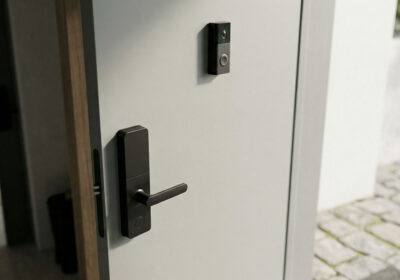
Most smart home devices are fully renter-compatible. Smart plugs, bulbs, and speakers plug into existing sockets and leave no trace when you move out. Smart locks, hardwired wall switches, and video doorbells that replace wired units are the exceptions and may need landlord permission. The table below makes this clear.
| Device type | Renter-friendly | Why | Landlord permission |
|---|---|---|---|
| Smart plugs | Yes | Plug into existing socket. No modification. | Not needed |
| Smart bulbs | Yes | Replace existing bulbs. Swap back on move-out. | Not needed |
| Smart speakers | Yes | Plug in, connect to WiFi. Fully portable. | Not needed |
| Smart thermostat | Usually | Replaces existing thermostat. Reversible. | Recommended |
| Smart lock | Sometimes | Replaces or overlays existing lock. | Required in most cases |
| Hardwired wall switch | No | Requires rewiring an existing switch. | Required, likely refused |
| Wired video doorbell | No | Requires wiring at the door. Affects communal areas. | Required, likely refused |
The Right Order to Buy Devices
Buy in this order: smart plug first, smart bulb second, smart speaker third, smart thermostat fourth. This order prioritises the fastest payback, the lowest cost, and the most useful daily automations. Skipping ahead to a thermostat or energy monitor without the basics in place is a common mistake that results in devices sitting unused.
The logic behind the order is practical. A smart plug teaches you how automations work, costs £11/$14, and pays itself back from standby savings in under a month. A smart bulb teaches you about scenes and light schedules. By the time you add a smart speaker for voice control, you have two devices to control, and you know what you want to say to it. A thermostat is last because it is the highest-value device, but also the most involved to install and the one that varies most by property type.
Your First Four Devices
The four devices below cover the core of a useful smart home for most renters. Total cost for all four: approximately £175/$200. Start with the plug and bulb. Add the rest as you find you need them. Every device listed works with Alexa, Google Home, and Apple HomeKit.
Buy this first. Plug it into your TV or bedside lamp socket. Set a schedule to turn it off at midnight. That single automation teaches you more about smart homes than any amount of reading. The energy monitoring tells you what your devices cost to run. Most people are surprised. No hub needed. Works with all three ecosystems.
Buy this firstBuy this second. Replace the bulb in your main living room or bedroom lamp. Set it to switch to warm light at 9pm automatically. You will notice the difference within a few evenings. See our AI sleep optimization guide for the science behind evening light schedules. Start with one bulb. Add more once you understand how the scheduling works. No hub needed for basic use with either brand.
Buy this secondBuy this third, once you have at least one device to control with it. The moment you say “turn off everything” and your plug and bulb both respond, the value of a smart speaker becomes obvious. The Echo Dot works with the widest range of devices. If you have an iPhone, consider the HomePod mini instead. See our smart speakers guide for a full comparison.
Buy this thirdBuy this fourth, if you pay your own energy bills. This is where the largest real-world savings come from: 15–25% on heating costs. Check compatibility at tado.com before buying. Inform your landlord before installing. See our energy tools guide for full thermostat comparisons including Nest and Ecobee.
Buy this fourthSetting Up Your First Automation
The single most useful first automation is: turn off everything at midnight. It takes three minutes to create, works on all three ecosystems, and immediately saves you the experience of waking up to find the lamp on all night.
On Alexa
- Open the Alexa app. Tap More, then Routines.
- Tap the plus icon. Name it “Midnight off.”
- Tap When this happens, choose Schedule, set it to 12:00am, and select every day.
- Tap Add action, choose Smart Home, then Control device.
- Select all your devices. Set action to Turn off.
- Save. Done.
On Google Home
- Open Google Home. Tap Automations at the bottom.
- Tap the plus icon. Choose Personal automation.
- Under Starter, choose Time of day, set to midnight.
- Under Action, choose Control devices, select all devices, and set them to Off.
- Name it and save.
On Apple HomeKit
- Open the Home app. Tap the plus icon, then Add Automation.
- Choose A Time of day that occurs. Set to midnight every day.
- Select all accessories, set action to Turn Off.
- Tap Done.
Once this works, you will understand how all other automations are built. The next one to create is a morning scene (lights gradually coming on at your wake time), and the one after that is whatever you notice yourself doing manually every day that a schedule could handle for you. See our sleep optimization guide for how evening light schedules make a real difference to sleep quality. If you are setting up a smart home for a family member rather than yourself, our guide to setting up automations for an ageing parent covers a consent-first approach with the exact devices that work best in that context.
What Not to Buy as a Beginner
Four categories of devices are consistently bought too early and underused: dedicated hubs, smart blinds, whole-home energy monitors, and anything that requires a separate bridge. Each of these has a legitimate use case. None of them belongs in a beginner’s first month of smart home ownership.
Dedicated hubs (SmartThings, Hubitat): Powerful, but you need to understand what you are connecting before you can configure a hub usefully. Start with WiFi devices, not Zigbee ones.
Smart blinds: Expensive (£150–400 per window), complex to install in rentals, and motor reliability varies. The ROI is lower than for plugs and bulbs for most people.
Whole-home energy monitors: Require professional installation in your consumer unit and give you data you will not know how to act on without a baseline first. Buy the thermostat and plugs first, then consider a monitor. See our energy tools guide for when this makes sense.
Anything with its own proprietary bridge: If a device requires you to buy a separate bridge before it works, ask whether a WiFi alternative exists that does not. Usually, one does.
Before buying any smart home device, ask four questions: Can a non-technical person set this up in under 15 minutes? Does it work reliably without ongoing management? Is it renter-compatible (no drilling, no permanent fixtures)? Have you seen real evidence that it does what it claims? If any answer is no, either skip it or research more before buying.
Smart Home Starter Checklist: right order to buy, questions to ask before each purchase, and the five automations for month one. Join the SAL newsletter and we will send it straight to your inbox.
Some links in this guide are affiliate links. If you buy through them we earn a small commission at no extra cost to you. We only link to products we have personally tested or thoroughly researched.
Common Questions
How much does a starter smart home cost?
The minimum useful setup is one smart plug and one smart bulb: approximately £23–50 / $29–63. Adding a smart speaker brings the total to £77–104 / $79–113. A complete four-device setup, including a thermostat, costs £156–219 / $193–279. You do not need to spend all of that at once. The plug alone is worth buying first.
Do all smart home devices need to be the same brand?
No. Matter support, now standard on most devices made after 2023, allows products from different brands to work together in the same ecosystem. The main constraint is choosing one ecosystem (Alexa, Google, or HomeKit) as your primary controller. Within that ecosystem, you can mix brands freely for most device types.
Can my landlord stop me from using smart home devices?
For plugs, bulbs, and speakers: no. These require no modifications to the property and can be removed without any trace when you leave. For thermostats: inform your landlord and get agreement before installing, even though the process is reversible. For smart locks and hardwired switches: ask first and expect the answer to be no.
What happens to my smart home if the internet goes down?
Most smart home devices lose remote access and voice assistant control when the internet is down. Schedules stored on the device itself usually continue running. Apple HomeKit uses more local processing than Alexa or Google, so it handles more tasks offline. For most people, this is a minor inconvenience rather than a practical problem.
Is a smart home secure?
Reasonably, if you take basic steps. Use a strong, unique password for your ecosystem account. Enable two-factor authentication. Keep device firmware updated (most do this automatically). Put smart home devices on a separate WiFi network if your router supports it. The most common smart home security failures are weak account passwords, not hardware vulnerabilities.
What is Matter, and do I need to care about it?
Matter is the open standard that lets devices from different brands work together across ecosystems. You do not need to understand it technically, but you should check that the devices you buy are Matter-certified if you want maximum flexibility. A Matter device can work with Alexa, Google, and HomeKit simultaneously.
How long does it take to set up a smart home?
One smart plug takes about five minutes. A smart bulb with a schedule takes ten. Adding a smart speaker and connecting it to existing devices takes another fifteen. A complete four-device setup with basic automations can be completed in one afternoon.

Leave a Reply