Every piece of AI wellness content I have seen in the past year ends the same way. A list of impressive-sounding features, then a price. Calm: £49.99 a year. Oura Ring: £5.99 a month after the hardware. Headspace: £69.99 a year. ChatGPT for the “real” version: £20 a month. The framing is always that free tools are just a taste of what paid ones can do, and if you want genuine benefit, you need to upgrade. This guide pushes back on that entirely.
The free tiers of the major AI assistants in 2026 are, as one reviewer put it, “shockingly capable at zero cost.” ChatGPT’s free tier includes web browsing, voice conversation, and GPT-4o access. Gemini’s free tier has no message cap on basic use. Claude’s free tier handles complex writing and reasoning. Alexa and Google Home ship free with hardware most people already own. The gap between free and paid is mostly about usage limits and advanced features . not about whether the tools work for daily wellness. They do. You just need to know how to use them.
You already have everything you need. ChatGPT free tier for morning intentions and journaling. Gemini free for calendar and shopping integration. Claude free for processing difficult situations. Your phone’s existing Health or Fit app for sleep data. Your existing smart home devices, properly configured. This guide gives you a 7-day reset plan and a no-new-hardware home audit . total cost £0 / $0.
Why the Paid Framing Is Wrong
The reason most AI wellness content leads to a subscription is not that paid tools are meaningfully better for most use cases. It is that affiliate commissions on subscriptions are significantly more reliable revenue than trust-building content. A £49.99 annual app referral earns more than ten minutes of writing about free tools. That incentive shapes what gets published, what gets promoted, and what gets buried. Most free-tool guides exist to establish credibility before upselling. This one does not.
The honest picture of free versus paid in 2026: the free tiers of ChatGPT, Gemini, and Claude are primarily limited by message volume and some advanced features, not by quality of response. ChatGPT’s free tier is, by one assessment, the most generous free AI experience available . you get access to GPT-4o, web browsing, and voice, all without spending a cent. The paid plan gets you higher message limits but the actual quality of responses does not differ much for everyday tasks. For wellness use cases . reflection prompts, sleep routine design, habit tracking, journaling scaffolds . free is genuinely sufficient.
The wellness app market is a different story. Most dedicated wellness apps use a freemium model that front-loads the appealing features, then locks continued access behind a subscription. The free tier of Calm gives you a taste of sleep stories. The free tier of Headspace gives you a week of guided sessions. These are demos, not tools. General-purpose AI assistants . which are not trying to upsell you into a wellness product . are structurally more generous because their business model depends on you using them broadly, not narrowly.
Anthropic expanded Claude’s free plan in February 2026, adding file creation, connectors, and skills . all available without a subscription. The move significantly raises the baseline for what people can expect from a free AI assistant. Claude free users can now ask it to generate spreadsheets, documents, and structured plans directly. This makes the free tier meaningfully more practical for building wellness systems, not just having conversations about them.
The Free Stack: What Works and What Does Not
Four free tools do real work for daily wellness in 2026. Each has a specific use case where it outperforms both paid alternatives and general-purpose use. The goal is not to use all four simultaneously . it is to pick the one or two that match how you already behave, then use them consistently. A tool you use badly every day is worse than a tool you use well twice a week.
Zero-Subscription AI Wellness Sheet: the exact prompts for the 7-day reset, three Alexa Routines, and the five no-hardware sleep and energy changes. Join the SAL newsletter and we will send it straight to your inbox.
ChatGPT free tier: daily reflection and routine design
Best for: morning intention-setting, journaling prompts, building daily routines, processing yesterday’s decisions. The free tier includes voice conversation on mobile, which means you can speak your morning reflection out loud and receive a structured response without typing anything. This removes the initiation cost that makes journaling apps fall out of use. The prompts it generates are not canned . they respond to what you actually said, which is the core value over a static journal template.
Practical daily use: open the app, tap the voice icon, say “I slept badly and I have a difficult meeting at 2pm. Help me think through how to approach the morning.” You get something useful in thirty seconds. No subscription, no account tier, no feature gate. If you hit the daily limit on advanced queries, the base model continues working for this kind of conversational use case.
Gemini free tier: calendar and home integration
Best for: connecting your schedule to your home and shopping. Gemini’s free tier integrates directly with Google Calendar and Gmail at no cost. If you use Google’s ecosystem, this means you can ask Gemini “what do I have tomorrow and what should I prepare tonight” and it has access to your actual calendar, not a hypothetical one. The free tier also integrates with Google Maps for local shopping queries and with Google Keep for note capture. For people already in Google’s ecosystem, this is a more integrated free tool than ChatGPT for domestic planning.
Claude free tier: difficult writing and processing
Best for: writing hard emails, processing complicated situations, structuring your thinking on a problem that has been sitting unresolved. Claude handles nuanced, complex writing better than the other free tiers. If you need to write something where tone matters . a difficult message to a landlord, a request for reasonable adjustments at work, a medical appointment summary . Claude free is the right tool. Claude’s free tier (claude.ai, no card required) gives you access to Claude Sonnet, which handles nuanced structured writing better than most free alternatives.
Alexa or Google Home app: hands-free ambient reminders
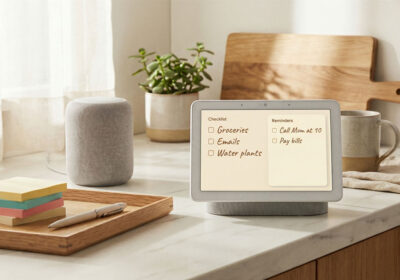
Best for: timers, reminders, shopping list capture, and briefings . all without unlocking your phone. If you own any Alexa or Google device, the companion app on your phone is free and extends the same voice commands to your handset. “Hey Google, remind me at 7pm to drink water” costs nothing and requires no additional hardware. For the neurodivergent home management use cases covered in our external brain guide, this is the most important free tool of the four because it requires the least initiation.
| Tool | Free tier includes | Best wellness use | Main limit | Needs account? |
|---|---|---|---|---|
| ChatGPT | GPT-4o, voice, web browsing | Morning reflection, routine design | Advanced reasoning daily cap | Yes, free |
| Gemini | Flash model, Google Calendar/Gmail integration | Schedule planning, shopping, home integration | Pro model behind paywall | Yes, Google account |
| Claude | Sonnet model, file creation, connectors | Writing, processing, structured thinking | Daily message cap (hits quickly) | Yes, free |
| Alexa / Google Home app | Reminders, timers, lists, smart home control | Hands-free ambient reminders | Requires one Alexa/Google device | Yes, Amazon or Google |
| Apple Health / Google Fit | Sleep, steps, heart rate from phone sensors | Baseline sleep and activity data | Phone needs to be near you while sleeping | No, pre-installed |
The 7-Day AI Reset Using Only Free Tools
This is a structured week that uses only the free tools above. Nothing costs money. Nothing requires installing a new app beyond creating a free account. The goal is to establish three habits . a morning check-in, an evening wind-down, and a weekly review . using AI as a scaffold rather than a system you have to maintain. After seven days, you keep what works and drop the rest.
Days 1 and 2: Baseline
Open ChatGPT (free, voice mode on your phone). Each morning, spend two minutes speaking: how you slept, one thing you are concerned about, one thing you want to do well today. Do not type. Just speak. ChatGPT will respond with a brief reflection and one or two grounding questions. You are not solving problems on days one and two. You are establishing what your baseline actually looks like when you say it out loud rather than holding it in your head.
Each evening, open the Health app (iPhone) or Google Fit (Android). Look at the sleep section. You probably have more data than you have looked at. Most people open these apps once after buying a phone and never return. Check what your phone recorded last night. Check whether the time you think you slept matches what the motion sensors say. This is not a clinical sleep tracker, but the gap between perceived and recorded sleep time is often meaningful. Note anything surprising.
Days 3 and 4: Environment
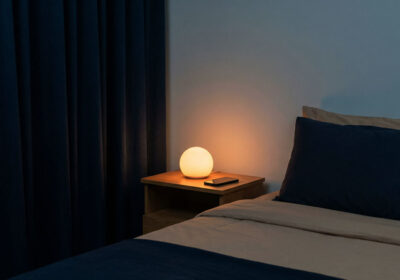
If you own any smart bulbs, open their app and check whether you have an evening schedule set. Most people who own Philips Hue, LIFX, Govee, or any other smart bulb brand have never created a schedule. They use the bulb as a slightly more controllable version of a standard lamp. On day three, set one schedule: warm light (2200K or the warmest your bulb allows) from 8pm onwards. If you do not own smart bulbs, turn off the main overhead light in your living room or bedroom from 8pm and use a standard lamp instead. The science behind this is covered in our circadian lighting guide. The short version: this single change costs nothing and is one of the two sleep interventions with the strongest evidence.
On day four, open your voice assistant (Alexa app, Google Home app, or Siri on your phone) and set two reminders: one at 8pm that says “switch to warm light and wind down,” and one 30 minutes before your usual bedtime that says “put the phone down.” These cost nothing, require no hardware upgrade, and create an external prompt for a transition your body is trying to make anyway.
Days 5 and 6: Routine design
On day five, open Claude (free, claude.ai). Type or paste: “I want to design a morning routine for a weekday. I have [X] minutes before I need to leave or start work. I am trying to feel more alert by 10am and less reactive under pressure. I do not want anything that requires special equipment or a strict schedule. Help me design something I will actually do.” Claude will return a structured proposal. Read it. Edit it until it sounds like you. Save it to your phone’s notes app as a reference.
On day six, open Gemini (free, if you use Google). Ask it: “Based on my Google Calendar for tomorrow, what would be useful to prepare tonight?” This requires giving Gemini access to your calendar, which is a one-time permission in the app. Once done, it can surface actual preparation tasks . a document to read, a journey to check, a person to message before a meeting . based on your real schedule rather than a hypothetical.
Day 7: Weekly review
Open ChatGPT. Say: “I want to do a quick weekly review. I have been trying to sleep better, feel less reactive in the morning, and use some free AI tools to improve my daily routine. Here is what I noticed this week: [one minute of speaking about what actually happened].” Ask it three questions: What worked? What did I avoid? What is one thing worth keeping next week? Write the answers somewhere you will see them. This is the whole review. It takes six minutes and requires nothing but the free app you already have open.
- Days 1-2: Morning voice check-in via ChatGPT free. Evening baseline review in Apple Health or Google Fit. No new apps, no purchases.
- Days 3-4: Set one warm-light schedule on any existing smart bulb. Set two evening reminders via existing voice assistant. Total setup time: ten minutes.
- Days 5-6: Design a realistic morning routine via Claude free. Ask Gemini to surface tomorrow’s prep from your real calendar.
- Day 7: Six-minute weekly review via ChatGPT voice. Keep what worked. Drop what did not.
The No-New-Hardware Smart Home Audit
Most people with any smart home devices have left significant value unconfigured. A smart plug with no schedule. A smart bulb used only as a manual on/off light. An Alexa or Google Home device used only to play music. This audit finds what you already own and gets it doing what it was designed to do. Nothing to buy. Nothing to install. Just configuration that should have happened when you first set the devices up.
Step 1: inventory what you have (15 minutes)
Walk through your home and list every smart device you own. Include anything connected to Wi-Fi or Bluetooth that you control from an app. Smart bulbs, smart plugs, smart speakers, thermostats, robot vacuums, smart TVs, streaming sticks that respond to voice commands. Most people discover they own more smart devices than they think, because several have been bought as gifts, absorbed into daily use without being configured, or installed once and then forgotten.
For each device, check three things: Is it still connected? (Open its app. If it shows offline, reconnect it now.) Does it have a schedule? (Most devices have a scheduling function that most users never set.) Is it in the same ecosystem as your primary voice assistant? (An Alexa-compatible bulb that has never been added to Alexa cannot be voice controlled.)
Step 2: set up schedules on everything that supports them (30 minutes)
Smart plugs: set any plug behind a television, gaming console, or desktop computer to turn off at midnight. This is the single highest-impact free change available on existing hardware. Standby power costs the average UK household £55–80 per year. A smart plug schedule that cuts power overnight addresses this with no daily effort and no new purchases. See our energy tools guide for the detailed figures.
Smart bulbs: as described in the 7-day plan, set an evening warm-light schedule. If you have bulbs in multiple rooms, set them all to shift at the same time. The circadian benefit comes from the ambient light environment changing, not from one bulb in one room changing while everything else stays bright.
Smart speakers: if you have an Alexa or Google Home device and have never created a routine, create three. A morning briefing (reads your calendar and reminders at a fixed time), a departure checklist (lists what to bring when you say “I am leaving”), and a wind-down scene (dims any connected lights at 8pm). All three are built using the Routines feature in the Alexa or Google Home app. All three are free.
Step 3: use a free AI to design one new automation (20 minutes)
Open ChatGPT or Claude free. Describe your existing smart home setup: what devices you have, what ecosystem they are in, and what you find yourself doing manually every day that a schedule could handle. Ask for three specific automation suggestions that work with what you own. The AI will suggest things you would not have thought of because it has a broader model of what is possible in your specific setup. Most people who do this discover at least one automation that takes five minutes to create and saves them a daily manual action they had never questioned.
In testing this audit approach with several readers, the most common finding was not broken devices but underused ones. A smart plug bought for a specific purpose, still doing only that purpose when it could be doing three things. A thermostat with a schedule that was set up at installation and has not been reviewed since the household’s routine changed. A smart speaker used for music and timers but never connected to any other device in the home. The gap between what people own and what they have configured is consistently larger than they expect.
Free Sleep Improvements Using What You Own
The two sleep interventions with the strongest scientific evidence . warm light in the evening and a cooler bedroom temperature . can both be addressed with hardware most renters already own, at zero additional cost. The case for buying a sleep tracker or a dedicated app only makes sense after you have addressed the environment. Tracking bad sleep in a bad environment tells you less than fixing the environment first.
Light: if you own any smart bulb, set an automated warm-light schedule as described above. If you own no smart bulbs, the equivalent behaviour costs nothing . turn off the main overhead light after 8pm and use a floor lamp or reading light instead. The warm-light signal that helps melatonin rise comes from the colour temperature and brightness of the light reaching your eyes, not from whether that light is “smart.” A standard warm bulb in a floor lamp, switched on instead of an overhead cool-white light, provides most of the benefit. See the circadian lighting guide for the full science and the specific Kelvin values that matter.
Temperature: if you own a fan, a smart plug turns it into a scheduled pre-cooling device. Set the plug to turn the fan on 45 minutes before your usual bedtime. The goal is to bring the bedroom to 18–19°C / 65–66°F before you get into bed, not after. This costs the price of one smart plug (£11/$14) at most, and if you already own a smart plug, it costs nothing. If you own a smart thermostat, set a cooler overnight schedule in the thermostat’s app . this is a schedule, not a new feature, and is free in every major thermostat app.
Sleep data: both Apple Health (iPhone) and Google Fit (Android) track sleep using your phone’s motion sensors when the phone is on the bed or nightstand. Neither is as accurate as a dedicated tracker, but both surface the pattern data that is most useful for identifying problems: how long you actually slept versus how long you were in bed, whether sleep time is consistent across the week, and whether there are nights that are clearly worse than others. Check this data once a week rather than every morning. The value is in patterns over days, not in nightly scores.
The full sleep environment guide, including device recommendations for people who want to go further, is in our AI sleep optimization guide. Everything in that guide that is marked as having strong evidence can be started for free using the approaches above.
Free Energy Audit With Your Existing Kit
A free energy audit using what you already own covers three things: finding what is drawing standby power unnecessarily, verifying that any smart devices you own are actually saving the energy they were bought to save, and using a free AI to identify which of your remaining habits costs the most. None of this requires a whole-home energy monitor or any new hardware.
If you own any smart plugs with energy monitoring . the TP-Link Tapo P110, Kasa EP25, Meross MSS310, or similar . check the energy monitoring data. Most people who own these plugs never open the monitoring section. The data shows you exactly how much power the device behind the plug is drawing and what it costs per month. Move the plug to your television setup, gaming console, or desktop computer for one week, then check the standby figure. This is the most actionable free energy information available without buying anything new.
If you own a smart thermostat, open the app and look at the energy history section. Tado, Nest, and Ecobee all provide free energy usage reports in their apps. Most people who own these thermostats have never opened the energy section. The report tells you how many hours heating ran each day and flags outlier days where it ran significantly longer than usual. This is free diagnostic information that most households are sitting on unused.
For households without any energy-monitoring hardware, open a free AI (ChatGPT or Gemini) and describe your household: how many people, what appliances you own, how you heat the home, and roughly what your energy bill is. Ask it to identify the three highest-probability sources of avoidable energy cost in a home matching that description. The answer will not be precise, but it will point you at the right category . standby power, heating timing, or water heating . before you buy anything to measure it more precisely. The energy tools guide covers what to buy once you know where the waste is.
What Free Tools Genuinely Cannot Do
This guide is not an argument against ever paying for anything. It is an argument for knowing what you are actually paying for before you pay for it. There are things free tools cannot do, and some of them are worth paying for once you have exhausted what is free. Here is the honest version of where the line is.
Sleep tracking with physiological data: Apple Health and Google Fit use motion sensors. They are useful for patterns but not accurate for sleep stage data. If you have persistent sleep issues and want detailed HRV, respiratory rate, and sleep stage information, the Oura Ring (£299 + £5.99/month) or Withings Sleep Mat (£99, no subscription) provide data that free phone tracking cannot. Start with the free data first. If you find it useful and want more precision, then upgrade.
Unlimited AI conversation without daily caps: Claude’s free tier hits its daily message limit quickly for heavy users. If you want to use AI for substantial daily work . long-form writing, processing, research . the £20/month paid tier is genuinely worth it for regular use. Not for the wellness use cases in this guide, but for the daily cognitive work around them.
Dedicated clinical wellness support: Free AI tools are not therapists and should not be used as substitutes for professional mental health support. If you are experiencing persistent anxiety, depression, or significant sleep disruption, the right next step is your GP, not a better prompt. AI can support the space around professional care. It cannot replace it.
The pattern worth noticing is that paid tools earn their cost when the use case is specific, frequent, and where the quality gap between free and paid is real. For morning reflections, sleep environment basics, home automation configuration, and daily reminders, the quality gap is not real. For sleep stage accuracy, unlimited conversational depth, or clinical-grade support, it is.
Zero-Subscription AI Wellness Sheet: the exact prompts for the 7-day reset, three Alexa Routines, and the five no-hardware sleep and energy changes. Join the SAL newsletter and we will send it straight to your inbox.
This post contains no affiliate links. That is intentional. If you find it useful, the most helpful thing you can do is share it with someone who is about to pay for something they do not need yet. The structure that ties all of these free tools together into a single weekly habit is the Sunday AI reset routine . 30 minutes, five stages, and everything covered in this guide applied to one repeatable format.
Common Questions
Is ChatGPT free to use for wellness and daily routines?
Yes. The free tier includes GPT-4o, web browsing, and voice conversation on mobile. It has daily message limits on advanced reasoning but covers everything in this guide without payment. You do not need ChatGPT Plus for morning reflections, routine design, journaling prompts, or the weekly review described above. The free tier is where to start.
What is the best free AI for sleep improvement specifically?
The most impactful free interventions for sleep do not require a dedicated AI app. They require: the scheduling function in any smart bulb app you already have (to automate a warm-light evening scene), the reminders function in any voice assistant you already own (to create a wind-down prompt), and Apple Health or Google Fit on your existing phone (to baseline your current sleep patterns). A general-purpose AI like ChatGPT or Claude is useful for designing the routine around these changes, not for replacing them.
Can I audit my smart home without buying anything?
Yes. The audit in this guide uses only what you already own. The three stages . inventory, schedule setup, AI-assisted automation design . require no new hardware and no paid software. The most common outcome is finding devices that are underused or misconfigured, and fixing them in under an hour. Most people who own smart devices have left significant capability unconfigured simply because setup guides stop at the basic installation.
Does Gemini’s free tier actually work for home and schedule integration?
Yes, with Google accounts. Gemini free integrates with Google Calendar, Gmail, Google Keep, and Google Maps at no cost. If you use Google’s ecosystem, it can access your real calendar and surface actual preparation tasks. If you use Apple Calendar or Outlook, the integration is more limited on the free tier. For Apple ecosystem users, Siri with Shortcuts on iPhone provides similar free functionality for schedule-based reminders, though with less conversational capability.
What if I own no smart home devices at all?
The free AI wellness approach still applies fully. The 7-day reset, the morning reflection habit, the evening reminders, the weekly review, and the use of Apple Health or Google Fit all require nothing beyond a phone and a free account. If you have no smart home hardware, the most impactful first step for sleep is not buying a smart bulb but changing your existing light source in the evening: a floor lamp with a warm bulb instead of an overhead cool-white light from 8pm onwards. Free, immediate, and based on the same evidence as the automated version. Our beginner’s guide covers what to buy first if and when you decide hardware is the right next step.
Is there any free AI wellness tool that is specifically designed for it, not general purpose?
A few. Wysa has a free tier with CBT-based exercises and an always-available chatbot for emotional check-ins. Ash AI focuses specifically on anxiety support and is completely free. Both are clinically informed to varying degrees and are more structured than a general-purpose AI for mental health use cases specifically. The important caveat: none of these replace professional support for persistent mental health difficulties. They are wellness tools, not clinical tools, and the distinction matters. If you are experiencing significant distress, your GP is the right starting point.


Leave a Reply